Quick answer: If Microsoft’s BitLocker recovery-key page keeps refreshing or returning to sign-in, change your Microsoft account password, sign in again, then open Microsoft’s recovery-key page. This fixed the authentication loop in our case and has worked for other affected users while Microsoft’s recovery-key page has been failing to load correctly.
Since late July and early August 2026, many users have reported being unable to view BitLocker recovery keys stored in personal Microsoft accounts. The page may show grey loading placeholders, repeatedly refresh, or redirect between account and authentication pages without displaying any keys.
We experienced the same problem first-hand. Changing browsers, devices, private-browsing modes, and internet connections did not help. Changing the Microsoft account password, signing back in, and reopening the recovery-key page restored access immediately.
Important: This article concerns the Microsoft account website getting stuck in an authentication loop. It is not a fix for a computer that repeatedly returns to BitLocker recovery after you enter the correct key.
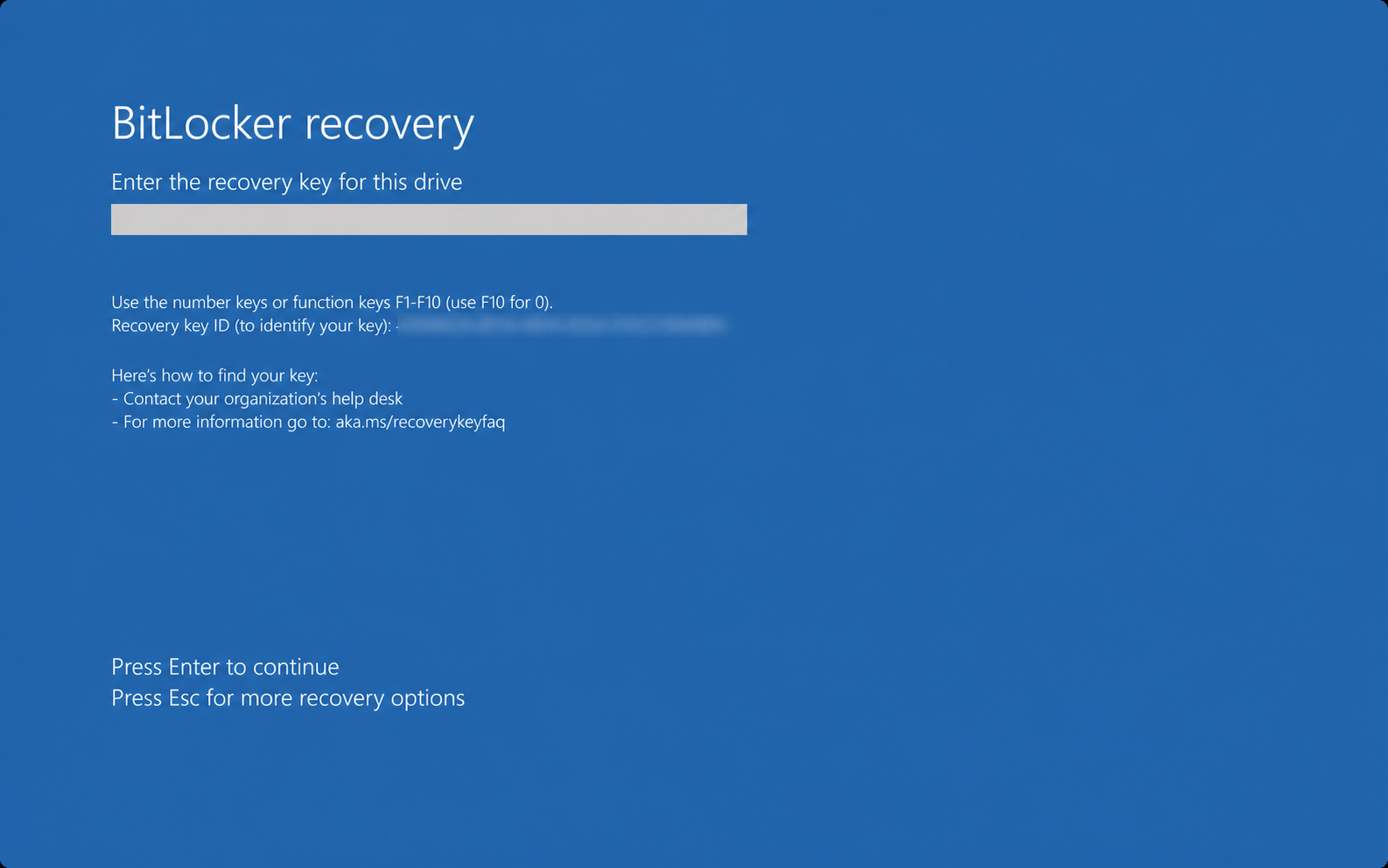
Try the official recovery-key link first
From another phone or computer, open aka.ms/myrecoverykey and sign in with the personal Microsoft account used on the locked PC. Microsoft recommends matching the Key ID on the blue recovery screen with the corresponding recovery key in your account.
If it loops, refreshes indefinitely, or never shows your keys, use the password-change fix below.
Workaround: change your Microsoft account password
- On another device, open your Microsoft account Security page.
- Choose the password-change option and set a new, unique password.
- Sign out of the Microsoft account in the browser.
- Sign back in with the new password.
- Open aka.ms/myrecoverykey again.
- If needed, use the longer route: Devices → View details → Manage recovery keys.
- Match the Recovery Key ID shown on the locked PC and enter the corresponding 48-digit recovery key.
Changing the password appears to force Microsoft’s authentication system to establish a fresh session, clearing the account state behind the redirect loop. Microsoft has not published this as an official fix, but it is the clearest working workaround reported so far.
Evidence of the August 2026 recovery-key portal problem
Microsoft does not currently list this on its public support page as a confirmed service incident. However, separate user reports dated 1–4 August describe the same failure across Edge, Chrome, Firefox, private browsing, multiple devices, and different networks. Multiple affected users reported that changing the Microsoft account password made the page load again.
Because there is no published Microsoft fix yet, the password change is the practical route to try before considering more disruptive recovery options.
If the key still does not appear
Most personal PCs use the personal Microsoft account route above. The work or school account route only matters if the device belongs to an organisation, was set up with Microsoft Entra ID/Azure AD, or is managed by an IT department. If that applies, Microsoft recommends checking:
- A work or school account at aka.ms/aadrecoverykey.
- A printed copy of the recovery key.
- A USB drive or text file where the key may have been saved.
- Your organisation’s IT department if the device is managed.
Do not rush to reset or reinstall Windows. Microsoft says its support team cannot retrieve, provide, or recreate a lost BitLocker recovery key. If no key can be found, resetting the device removes its files.
After you regain access
Store a secure second copy of the recovery key somewhere other than the encrypted computer. A password manager, protected offline storage, or an organisation’s managed key directory can prevent one inaccessible online account from becoming the only route back into the device.
The recovery-key portal problem does not mean BitLocker itself has failed or that the stored key is missing. It means the service needed to display the key may be unavailable to that account session.
Need fewer surprise PC recovery problems?
Grapevine helps small businesses monitor, maintain, and recover Windows PCs before one locked device becomes a workday outage.
Frequently asked questions
Why is the Microsoft BitLocker recovery key page not loading?
Recent user reports describe an authentication redirect loop in the Microsoft account recovery-key portal. Microsoft had not publicly confirmed the cause when this guide was updated on 4 August 2026.
Does changing the Microsoft account password always fix it?
It worked in our case and for several other people reporting the same symptoms. Microsoft has not published it as an official fix, but it is the strongest current workaround we have seen for this specific login loop.
Can Microsoft Support recreate a missing BitLocker key?
No. Microsoft states that its support team cannot retrieve, provide, or recreate a lost BitLocker recovery key.